How Often Should You Replace Screens and Filters?
Share
Screens and filters are cheap. Running them dirty is expensive in flavor, airflow, and cleaning time. The useful question is not “what does the box say?” — it is how often your routine turns a clean mesh into a restriction. This guide gives condition-based cadences for common dry herb setups so you replace on evidence, not anxiety.
Allowed reality check: strain moisture, terpene stickiness, temperature, and whether you use a dosing capsule all change the clock. Two people with the same Mighty can need different swap intervals. Use the signs below, then pick a starter rhythm and adjust after two weeks of honest notes.
What screens and filters are actually doing
A screen’s job is to keep plant matter out of the vapor path while still letting air through. A filter (where your device uses one) adds a second stage of capture or airflow shaping. When either clogs, you feel it as tighter draws, hotter-feeling vapor, muted flavor, and sometimes uneven extraction because air stops moving evenly through the load.
Screens do not set potency. Heat, load size, and session length do. What screens protect is the rest of the path — cooling units, stems, bead beds — so terpene character does not get buried under burnt residue. That is why a “still works” screen can still be overdue.
Replace on condition — the universal checklist
- Visible dark film, fuzz, or compacted fines on the mesh
- Draw suddenly tighter after a session that used to feel open
- Flavor dulls even after a stem or cooling-unit wipe
- Whistle, rattle, or warped screen that no longer sits flat
- Plant matter appearing past the screen in the cooling unit or stem
If two or more of those are true, replace now. Soaking helps some reusable screens; it does not resurrect a bent or shredded disc. When in doubt, swap — screens are cheaper than a ruined session.
Starter cadences by usage pattern
- Light (a few sessions a week, low-med temp): inspect weekly; many people land at 2–4 weeks
- Daily flavor-focused: inspect every few sessions; often weekly swaps
- Daily high-temp / dense vapor: spare screens in the case; swap as soon as draw changes
- Dosing capsule users: CU screens often last longer because the capsule contains most material — still inspect the CU face
- Fine grind fans: shorter intervals; consider a slightly coarser grind before blaming the device
Treat these as starting points, not laws. Your notes after two weeks beat any generic calendar.
Device-family notes
Storz & Bickel Mighty / Crafty / Venty: cooling-unit screens are the heartbeat. Keep coarse and normal options if you change grind styles — start with the coarse screen set when capsules and medium grinds are your norm.
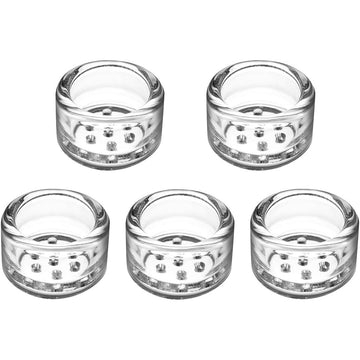
POTV Lobo / ONE: stem and device screens clog with travel dust and fine grind. Reusable packs help — see reusable Lobo/ONE screens.
Arizer stem devices: screens at the load end of glass stems matter as much as anything on the heater. Clean or replace when beads or spirals start tasting dull for “no reason.”
Reusable vs disposable thinking
Reusable screens save money only if you actually wash them before they become permanent residue sculptures. Budget two sets: one in use, one clean. Disposable mindsets are fine for travel weeks — just do not pretend a black disc is still filtering well because it “technically fits.”
Filters, mouthpieces, and the rest of the path
Replacing a screen will not fix a dirty cooling unit, a pearl stem glazed in oil, or a mouthpiece full of condensate. Make screen swaps part of a small ritual: quick path check, screen condition, stem sniff test. Terpene-bright sessions come from the whole chain.
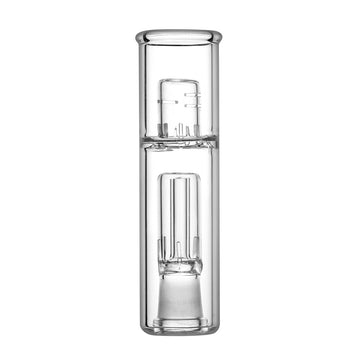
If vapor is still warm after a fresh screen, add cooling glass rather than over-swapping mesh — for example a Mighty/Crafty Long-Draw or a Lobo bead stem.
A practical weekly habit
- Once a week, hold screens to light; replace if opaque with gunk.
- Keep a labeled spare tin in the case.
- Log one note the first month (“swapped Monday, draw improved”) until you know your interval.
- Deep-clean the cooling unit or stem on a slower cadence than screens.
- After sticky high-temp runs, inspect sooner than your average.
How this pairs with related guides
Use this page for when to replace. Use the Mighty/Crafty coarse chooser for which mesh. Use the Crafty troubleshooting post when airflow is already broken and you need a symptom path. Keeping those intents separate stops three similar titles from competing with each other.
Bottom line
Replace screens and filters when airflow, flavor, or appearance say so — then reverse-engineer a personal cadence from that evidence. Start with weekly checks for daily users, stretch only if the mesh still looks and draws clean, and keep spares so maintenance never blocks a session. Clean mesh is one of the highest-ROI habits in dry herb vaping, especially when you care about strain character and medical-grade temperature control doing what you set it to do.