TinyMight 2 Error Codes, Reset and Not Working: What to Do
The TinyMight 2 does not have numbered error codes. Neither the maker's manual, its FAQ nor its troubleshooting page lists any, and there is no documented factory reset. What the device does give you is battery-level lights, a red charge LED and vibrations, and the maker's own checklist covers the common faults: a dial set too low (it must be above level 2 to start), a battery that is too full or not a recommended cell, a dirty battery-lid contact, a silent vibration mode, and a screen that has moved. This guide takes you through them in order.
It follows the manufacturer's documents. For first-use steps see our TinyMight 2 how-to guide, and for more articles visit the TinyMight hub.
- What the lights and vibrations mean
- Resetting: what you can and cannot do
- It will not turn on
- It will not charge
- Weak vapor
- Other faults
- It suddenly got very hot
- When to contact support

1. What the Lights and Vibrations Mean
Instead of error codes, the TinyMight 2 reports its charge when it switches on, using both light color and vibration:
| Light | Vibrations | Meaning |
|---|---|---|
| Green | 4 | Full (4 of 4) |
| Blue | 3 | 3 of 4 |
| Purple | 2 | 2 of 4 |
| Red | 1 | 1 of 4, the lowest level |
| White | - | Beast mode (dial at maximum, on-demand only) |
While plugged in, a red charge LED stays on and turns off when charging is complete. If you have enabled stealth mode, the lights are turned off on purpose, so a dark device is not necessarily a fault. When the unit starts, it also flashes the color of the current temperature range for a moment, with green as the default.
2. Resetting: What You Can and Cannot Do
- Restart: turn the unit off with three presses of the button, then switch it on again.
- Lights or vibration gone: a stealth mode or silent mode may be active. Opening and closing the battery lid resets it.
- Temperature range: if you or a previous owner changed the range, the manual's recalibration procedure (Appendix 2) lets you choose a range again. Level 6, shown green, is the default range.
- Factory reset: none is documented. We have not found a button combination that restores every setting, so do not rely on one.
3. It Will Not Turn On
- Turn the temperature dial above level 2. A protection feature stops the unit from starting at the lowest positions, and the manual says the lock is active at 0.
- Check the battery is fully charged, is one of the recommended Molicel cells (P26A, P28A or P30B) and sits with its positive end toward the lid.
- Press the button three times quickly.
The maker says that if the dial is high enough and a known-good, fully charged battery still does not start it, the unit needs to go back for repair.
4. It Will Not Charge
The TinyMight 2 charges over USB-C and needs a quality adapter that can supply at least 2 A. If nothing happens, the battery may simply be too full: the unit only starts a new charge cycle after the battery voltage has dropped. Try another cable and adapter before you conclude it is faulty. A warm aluminium bottom panel while charging is normal because it works as a heatsink. If you are certain the cable and adapter are good and the unit still will not charge, the maker says the charging electronics or the connector may be damaged and the device should be returned for repair.
5. Weak Vapor
The maker lists three common causes in this order:
- A worn or unsuitable battery. Use only a recommended high-current cell.
- A dirty or oxidized contact on the battery lid. Gently polish the contact until it is shiny again for a clean power transfer.
- Calibration. The dial range can be shifted by -3 to +3 steps, so a higher range makes level 7 behave like the old level 10 if you move it by 3. The last page of the manual shows how.
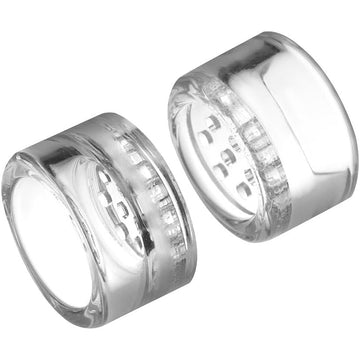
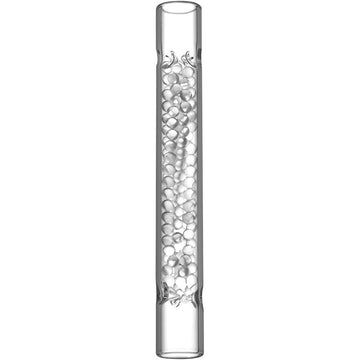
Dirty parts also hurt airflow, so wash the glass tube and cooling unit, and replace clogged stem screens such as our basket screens. The basket screen cleaning guide explains how. Our Journal article on weak vapor and the screw tip covers the rest. One important warning: the manufacturer says you must not loosen the large back-end screw or work the end panels on a TinyMight 2. That refresh method applies only to the original TinyMight 1 and can permanently damage a TinyMight 2.
6. Other Faults
- Dial spins freely or does nothing: usually a failed connection between the dial and the component beneath it that reads its position. It is a soldering repair, so the maker prefers that you send the unit back.
- Vibration stopped: open and close the battery lid to clear silent mode. If that does not help, the vibration motor contacts may have flattened, which the maker's full FAQ describes how to fix.
- Battery lid stuck: forcing it usually means the threads are already damaged. The maker can supply a new battery cap and top panel, and suggests a little oil or grease on the threads to keep them moving.
- Cracked glass lining: the maker says this can happen if the unit is dropped and a replacement part is available, but warns that the repair can destroy the unit if done wrongly, which voids the warranty.
7. It Suddenly Got Very Hot and Burned the Material
Stop using it. The maker says this can happen if a third-party dosing capsule pushes the mesh screen out of its holder onto the heater, causing a short circuit and very high temperatures. It advises using the manufacturer's own accessories, and says a screen must never be used without being seated securely in its holder. To check, the maker describes removing the tube holder, the red O-ring and the metal tube and looking at the screen holder. If a screen has fallen onto the heater, it needs to be carefully cleared. A short circuit can also damage the control electronics, so if the unit no longer heats properly afterward, contact support rather than carrying on. Our accessories guide repeats the fit and safety advice.
8. When to Contact Support
Stop troubleshooting and ask for help if the unit will not start with a good battery, will not charge, smells of burning, or has been damaged by a drop. Do not open the unit unless you are confident, as the maker warns that some repairs can ruin it. For warranty, the maker provides a 3-year warranty that you register yourself. Its conditions ask for the original invoice and a claim within 2 months of the problem becoming obvious, and it asks for a video of the fault. If you bought from us, contact our support team first and tell us your order number. The TinyMight 2 accessories collection has stems and screens for anything unrelated to the electronics.
Final Thoughts
With no error codes to look up, the TinyMight 2 is a simple device to troubleshoot: check the dial, the battery, the charger and the battery-lid contact, then clean the glass parts and look at the screen. If the electronics are involved, let the maker repair it.